
⚖️ Overlay Profiles
Overlay Profiles modify a base Profile’s output by applying offsets. Use them to tailor behavior for specific fan groups, RPM ranges, or airflow needs—without duplicating the base Profile.
Types
Static Offset
Apply a fixed offset (positive or negative) to a Profile’s output. Useful to:- Adjust case pressure across front/rear fan groups
- Fine‑tune a group’s output relative to the base profile
Graph Offset
Apply a curve‑based offset to a Profile’s output. More flexible than a static offset, it enables fine‑grained control and unlocks powerful use cases:
1. Scale the base Profile's output by a percentage
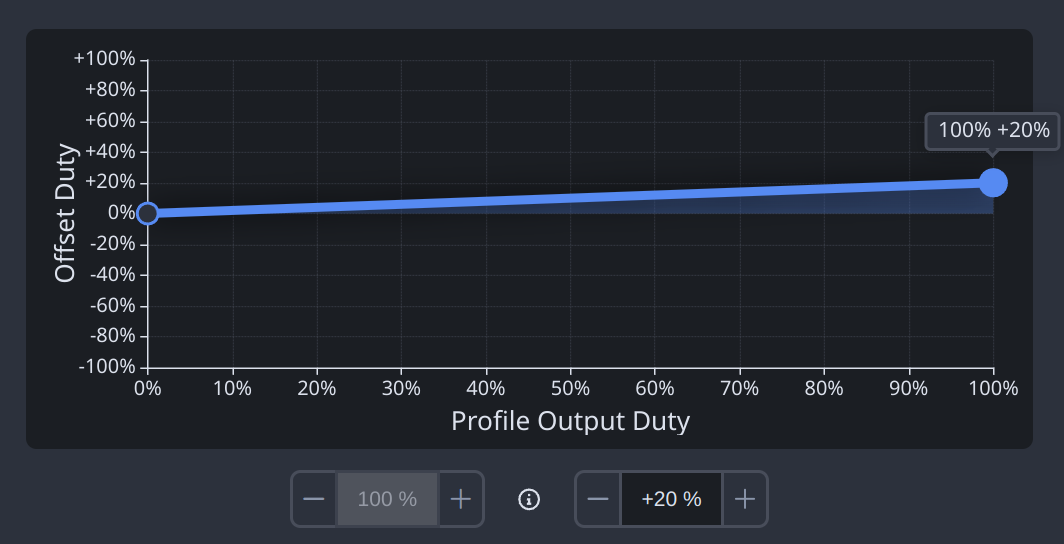 (20% of the base Profile's output)
2. Apply different offsets for different fan RPM and duty ranges
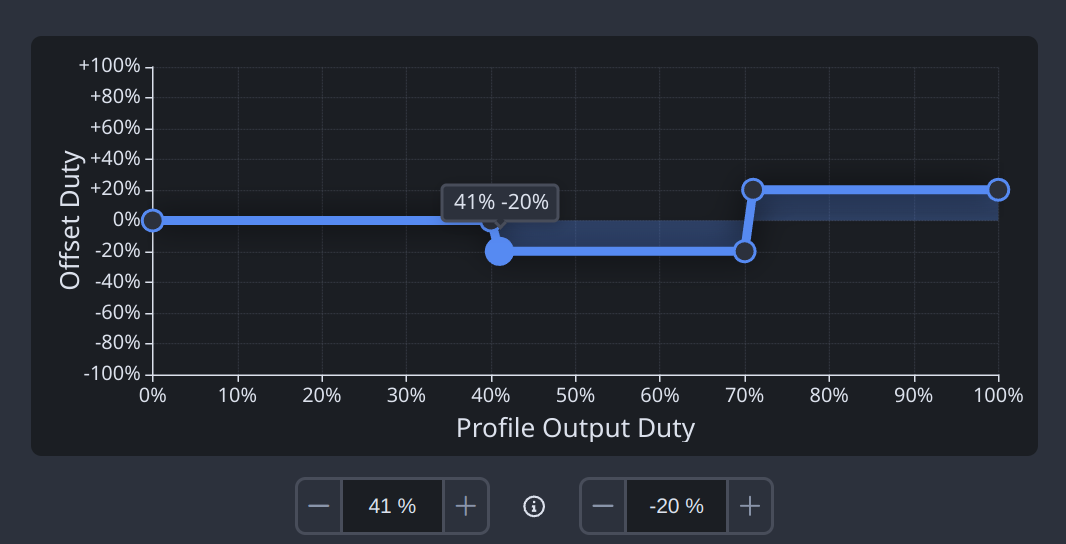
3. Compensate for different fan makes/models (align airflow and perceived noise)
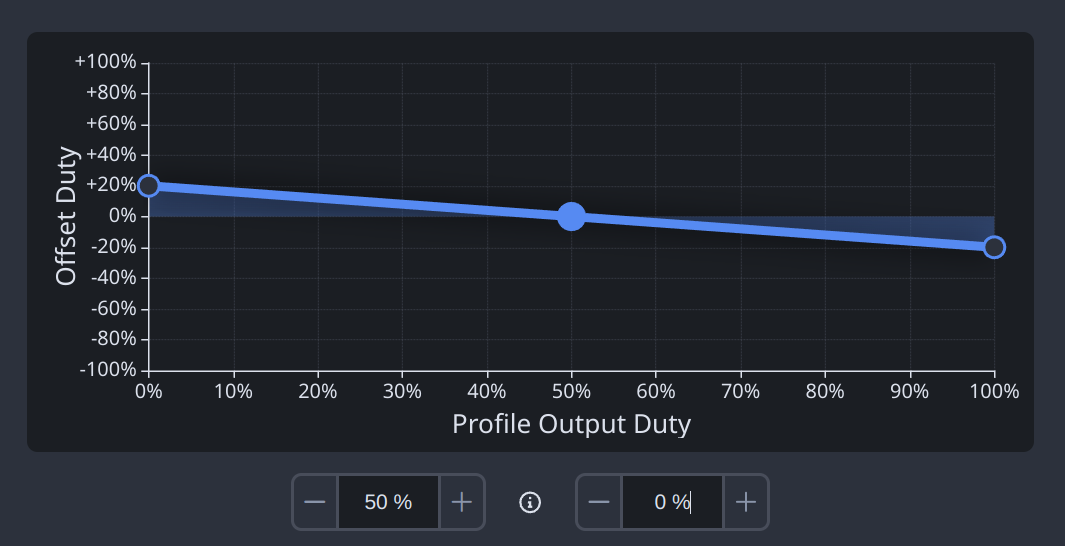
4. Apply a start speed to avoid stall at low duties
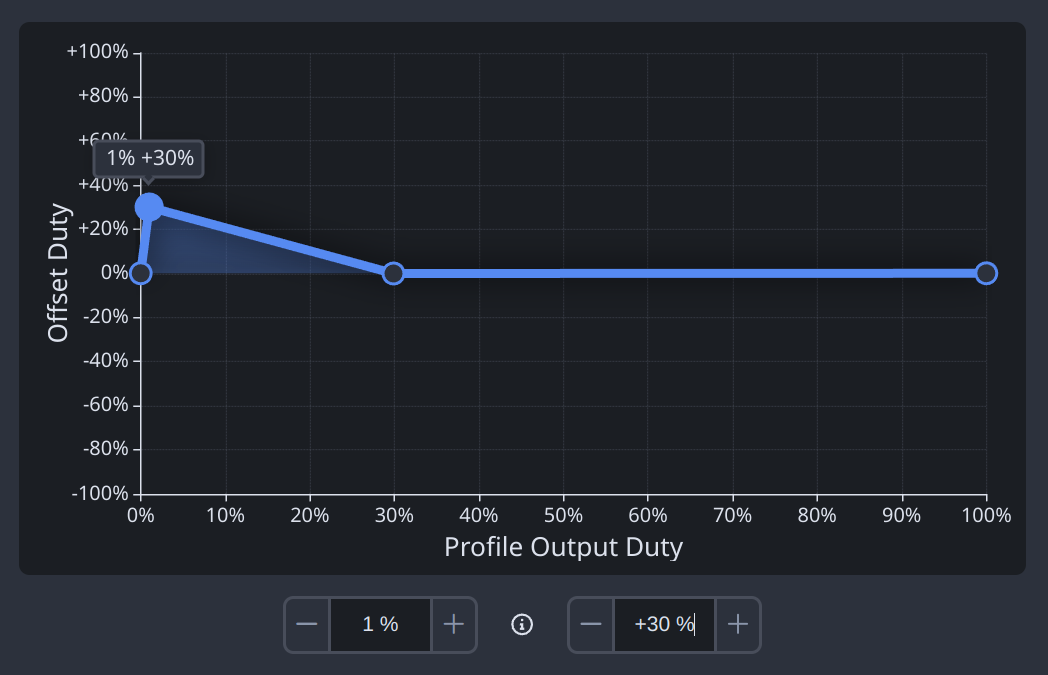 (Starts spinning at 30%)
5. Apply a stop speed for semi‑passive operation
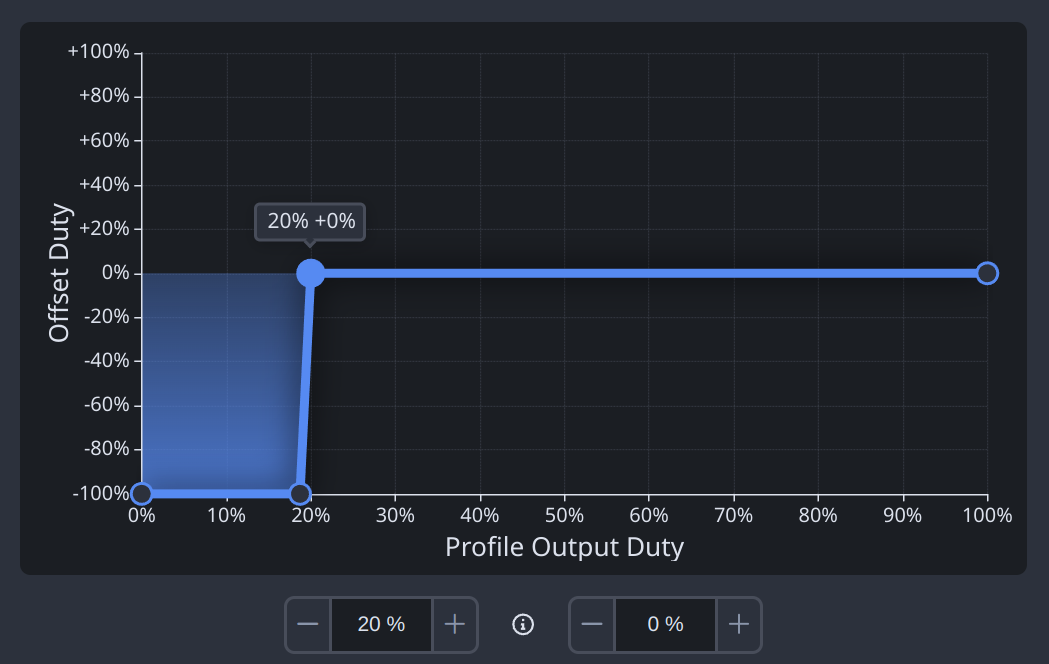 (Stops spinning at <20%)
6. Invert a Profile's output to compensate for internal airflow
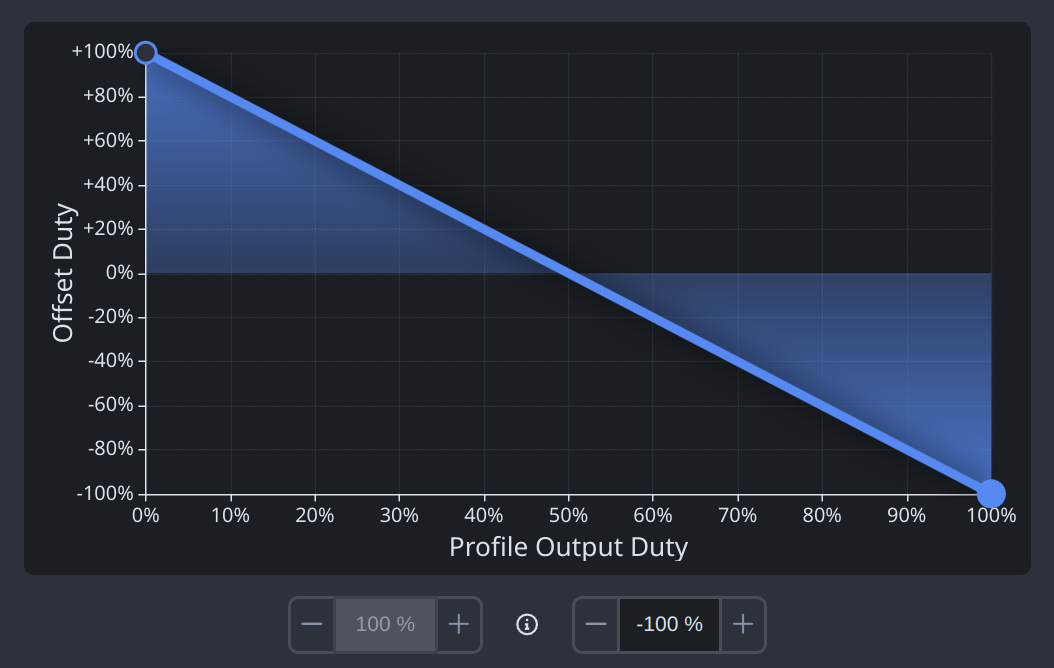
7. Turn a fan off beyond a threshold (e.g., when other case fans are already working hard)
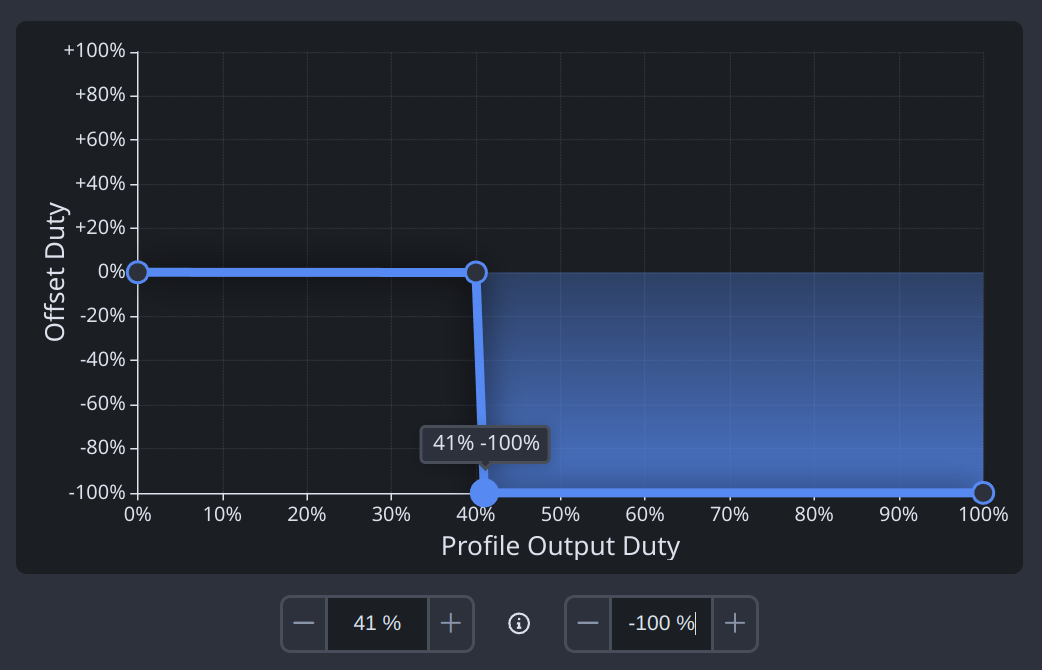 (Stops spinning at >40%)
See Also
- Mix Profiles - Create the base profile that Overlay Profiles refine
- Profiles - Understand base profile types before adding overlays
- Control Flow - See where overlays fit in the full signal path
- Functions - Add hysteresis on top of any overlay